
European Cybersecurity Month 2025: It’s Getting Harder To #ThinkB4UClick
October is European Cybersecurity Month (ECSM), the EU’s annual campaign to raise cybersecurity awareness among citizens and businesses. With its #ThinkB4UClick motto, the campaign promotes mindfulness in online behavior and reminds us of the basics of cyber hygiene.
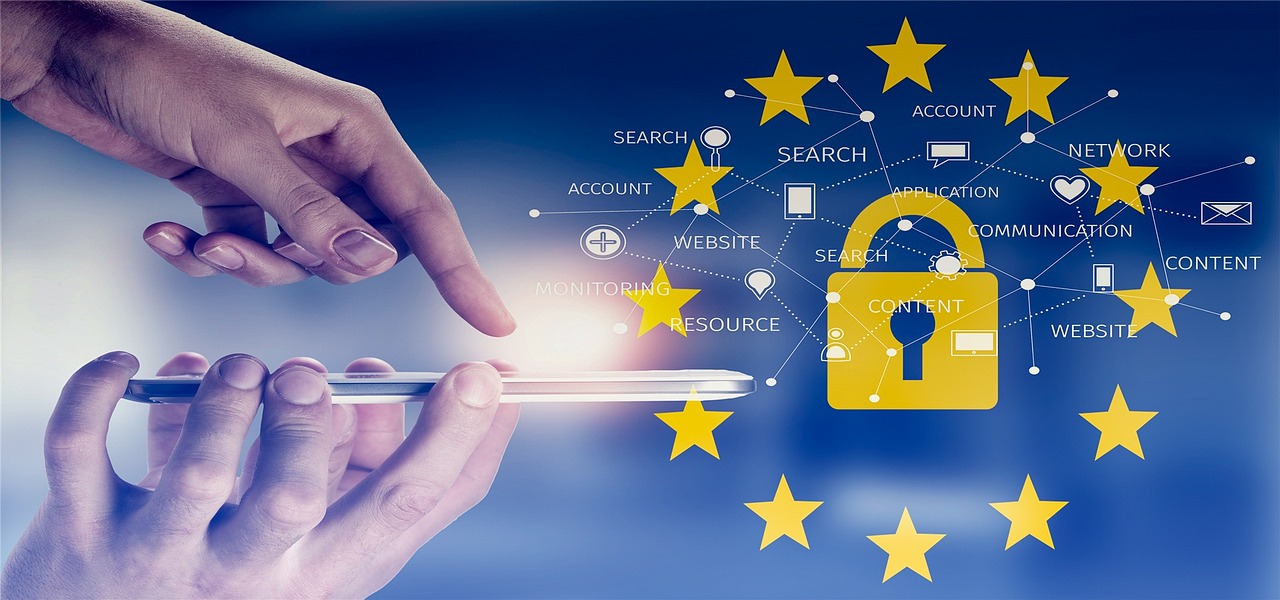
European Cybersecurity Month
The message is simple and valuable: don’t be reckless with your clicks. But even seemingly careful clicks aren’t always safe anymore. Modern browser-based threats have evolved far beyond deceptive links and clumsy spam. Today’s attackers use sophisticated phishing pages, payload-dropping extensions, evasive infostealers, and even drive-by exploits delivered via compromised ad networks.
The browser is one of the most targeted and exploited areas by hackers. Here’s more on browser-based threats and why awareness alone is helpful but probably not enough.
The Rise of Infostealers
Infostealers are lightweight malware strains designed to extract sensitive data directly from your browser. Unlike ransomware or keyloggers, which either encrypt or observe over time, infostealers take a snapshot of everything valuable and vanish quickly. Their purpose is immediate exploitation or resale.

Once executed, infostealers perform automated sweeps of:
- Saved passwords and login credentials stored in browser password managers
- Active session cookies, which can be used to hijack authenticated sessions without needing a password at all
- Autofill data including names, addresses, phone numbers, and saved payment card info
- Clipboard content that may contain copied 2FA tokens, credit card numbers, or API keys
This stolen data is usually exfiltrated to a command-and-control server or bundled into a log for sale on dark web marketplaces. From there, attackers use or resell the data for:
- Account takeovers
- Internal system access (especially in cases where session cookies bypass MFA)
- Targeted phishing or social engineering
- Initial access for ransomware operators
While infostealers are sometimes delivered via obviously suspicious emails, they increasingly rely on more subtle vectors like misleading download buttons, trojanized installers, and malicious browser extensions that masquerade as productivity tools. A user doesn’t have to click a blinking red warning link. Instead, they just need to follow a plausible workflow, like downloading a fake invoice viewer or plugin.
Thankfully, authorities have seen some success this year in disrupting infostealer operations. Europol played a big part in disrupting Lumma, the world’s largest infostealer operation. Still,
The infostealer epidemic continues, though. Recently, researchers found a new infostealer capable of bypassing Google Chrome’s cookie encryption and accessing sensitive info.
Sophisticated Phishing Kits and Lookalike Pages
Modern phishing kits replicate login pages with pixel-perfect accuracy. Some include real-time proxying to pass credentials directly into services, allowing attackers to hijack sessions without triggering typical alerts.
And thanks to cheap TLS certificates, threat actors can create HTTPS-secured phishing domains that look perfectly normal to the untrained eye. Others go even further by mimicking the full user journey, including fake CAPTCHA challenges or faux confirmation screens that emulate what users expect to see after a successful login.

Office workers in typical jobs are conditioned to receive and act on prompts from tools like Google Workspace, Slack, Dropbox, Microsoft Teams, and DocuSign. These services often send real email prompts asking users to confirm logins, verify document access, or respond to shared files. Attackers hijack this workflow and embed fake preview images or CTA buttons that link to domains designed to trick even cautious users.
Even savvy users who hover to inspect a link may miss domain typos like:
- logins-microsoft[.]com
- Secure-update[.]dropbox-files[.]cloud
So, while thinking before you click is solid advice for avoiding phishing scams, the tricks scammers use are harder to spot.
Weaponized Browser Extensions
Browser extensions promise convenience but often come with wide permissions, from reading all web data to accessing clipboard contents and tab histories. Threat actors exploit this trust channel by delivering malicious, seemingly useful extensions that:
- Exfiltrate browsing activity and credentials
- Inject malicious scripts into web sessions
- Modify content in-browser to phish or redirect
Some malicious extensions even use update mechanisms to load new payloads post-installation and avoid initial scrutiny. And because extensions are often installed by the user directly, they carry an implicit trust signal.
You might naturally question why browsers like Chrome or Edge won’t simply block them? In reality, browser vendors do remove thousands of malicious extensions every year. But the scale of the problem is staggering.
Extensions can be submitted under fake developer identities, obfuscate malicious behavior until after approval, or pass inspection by loading clean code initially and swapping in malicious payloads later.
Attackers also take advantage of the long tail of user behavior. In other words, someone might install a niche or outdated extension with low visibility and poor security practices. In BYOD environments or on unmanaged devices, these risks often go unchecked. Once installed, a rogue extension operates from inside the trusted browser environment.
Drive-By Downloads: The Invisible Click
Drive-by download attacks are deceptive browser-based threats, precisely because they don’t need explicit user consent. These attacks work by exploiting vulnerabilities in the browser or its plugins, triggering malware downloads the moment a user visits a compromised website or interacts with malicious content embedded in an ad.
Here’s how they play out usually:
- Hackers compromise legitimate websites or inject malicious scripts into ad networks.
- A user visits the site or views a poisoned ad.
- The browser loads the content and executes hidden JavaScript or exploit code.
- Malware is dropped silently in the background, sometimes without any obvious symptoms.
Even well-maintained browsers can be exposed when third-party plugins, outdated extensions, or misconfigured settings widen the attack surface. Many of these campaigns use high-traffic, trust sites as delivery vehicles through malicious advertising (malvertising).
In many cases, users never realize they “clicked” anything at all.
Why SMEs Are Especially Exposed
In SMEs, employees use browsers for email, document editing, SaaS dashboards, banking, CRM access, invoicing, and more. They’ve become the central hub of daily operations. That centrality makes browser threats uniquely dangerous in the SME context.

With fewer in-house cybersecurity experts, limited access to advanced detection tools, and leaner security budgets, many SMEs operate in a state of implicit trust. Employees are often expected to stay vigilant, but they’re not always equipped with practical guidance or up-to-date threat modeling.
Beyond Awareness: Practical Simulation for Human Defense
Campaigns like ECSM do important work in raising baseline awareness. But when browser threats are engineered to look safe, simulation becomes a critical tool for building real defensive reflexes.
DIESEC’s social engineering simulation services help organizations identify risky behaviors, understand how their teams respond under pressure, and create a feedback loop between awareness and action. By mimicking real-world phishing, malvertising, and infostealer delivery tactics, DIESEC gives security teams the visibility they need to strengthen human-layer defense.
In today’s browser-centric world, it’s not enough to tell people to “think before they click.” You have to train them to recognize what dangerous clicks even look like. For SMEs, we have a dedicated cyber solution with 14 modules, several of which can help prevent or detect browser-centred threats.
To learn more about either of these services, contact us today.